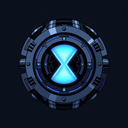
Omnitrix Aurora Theme
A dark Chrome theme — deep midnight frame, violet and electric cyan accents, and the glowing Omnitrix at the centre of an aurora sky on every new tab.
What it does
- 1920 × 1080 aurora background
- Dark frame, toolbar & tab colours
- Matches the Nexus Hybrid look
How to use it
Install the theme
Install the theme package from the download below.
Open a new tab
Every new tab shows the aurora sky with the glowing Omnitrix at its centre, in a deep midnight frame.
Pair it with Nexus Hybrid
For the full look, use it with Nexus Hybrid — the theme and the New Tab extension share the same design.
Install
Install Omnitrix Aurora Theme — Download theme
Free. No payment, no account, no sign-in.
- Download the zip. Use the download button on this page. The file is a Load-unpacked package, not a Store installer.
- Unzip it. Extract the zip to a folder you will keep — Chrome loads the extension from that folder.
- Open chrome://extensions. Turn on Developer mode (top-right of the extensions page).
- Load unpacked. Click Load unpacked and select the extracted folder. The tool appears in your toolbar.
Honest limit: The Omnitrix is a Ben 10 / Cartoon Network / Warner Bros trademark — used as the brand mark, ownership is not claimed.
Permissions & privacy
A Chrome theme changes colours and the new-tab background only. It stores only its own local display preferences, if any, in your browser. Nothing is sent anywhere. See the Privacy Policy.
Frequently asked questions
What size is the background?
1920 × 1080 — the aurora background the theme ships with.
Does the theme collect data?
No. It is a theme: colours and a background image, nothing else.
Is the Omnitrix HocketSoft's own design?
No. The Omnitrix is a Ben 10 / Cartoon Network / Warner Bros trademark — used as the brand mark, ownership is not claimed.