All HocketSoft products.
Five tools, one identity — and one rule: your data stays in your browser. Everything here is free to download and use.
HocketSoft Hub — v1.0.5
One extension, all HocketSoft tools. Auto User add and Win365 Auto Link behind one selector bar, with a 2-second loader, a side drawer for links and settings, and a home page that shows only the logo.
Auto User add — v1.1.0
The standalone HocketSoft By B3N extension. Fills First name, Username and Display name serially (X1, X2, X3) on the Microsoft 365 Admin Center Add user page. Submitted for Chrome Web Store review on 23 November 2026 — in review, no Store link yet.
Download Auto User add v1.1.0 (.zip)
Read more about Auto User add →
Win365 Auto Link — v1.0.5
The standalone Win365 Auto extension. One-click links to the Windows 365 Flex admin pages: Provisioning policies, All Cloud PCs, Edge profile, Flex Users group, Global Administrator and Licenses. Links verified live on 24 November 2026.
Download Win365 Auto v1.0.5 (.zip)
Read more about Win365 Auto Link →
Nexus Hybrid — v1.0.0
Chrome theme + New Tab extension. Orbit 3D tab carousel, floating glass navigation, interactive Neural Web graph, Work / Study / Projects / Explore workspaces, and a Command Palette on Ctrl+K.
Read more about Nexus Hybrid →
Omnitrix Aurora Theme — v1.0.0
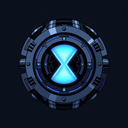
A dark Chrome theme in the Nexus style — deep midnight frame, violet and electric cyan accents, and the glowing Ben 10 Omnitrix at the centre of an aurora sky on every new tab.
Download Omnitrix Aurora theme (.zip)
Read more about the Omnitrix Aurora Theme →
Install note: all downloads are Load-unpacked packages — unzip, open chrome://extensions, turn on Developer mode, and Load unpacked. Full steps are on the Docs.